
4.9 (550 reviews)
1 Day course Live Online
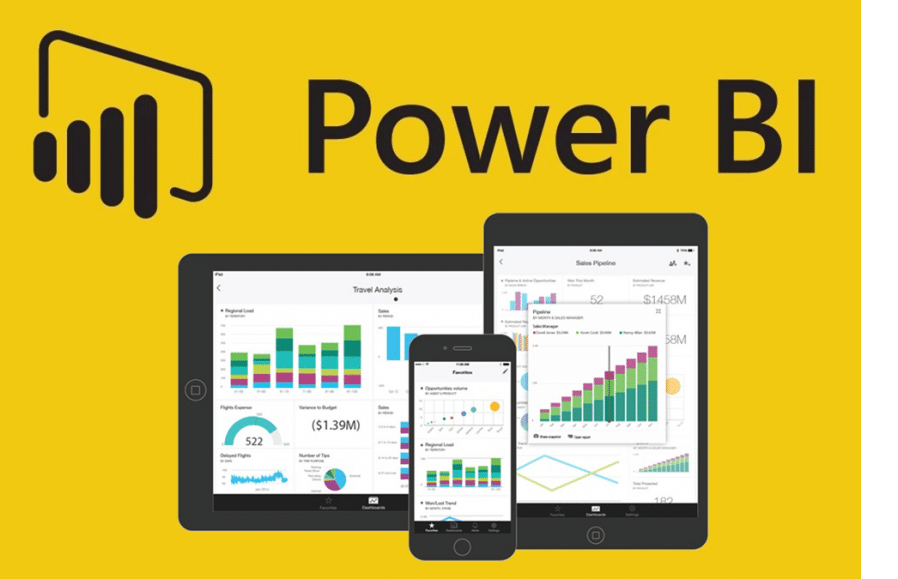
Power BI Intermediate - Data, Measures & Power Query
Ready to take your Power BI skills to the next level? This intermediate course dives deep into the art of data transformations and advanced calculations, empowering you to shape raw data into meaningful business intelligence.
Learn how to clean, reshape, and model data with precision.
Master DAX formulas and calculated columns to unlock powerful insights.
Build dynamic reports that go beyond visuals—driving smarter decisions with robust analytics.
Whether you’re refining messy datasets or creating complex measures, this instructor-led hands-on training course ensures you’ll walk away with the confidence to transform data into actionable strategies.
Course Overview
Audience:
The course has been designed for new users of Power Bi who wish to develop interactive and visually appealing reports.
Prerequisites:
Participants must be familiar with Microsoft Excel including creating charts.
Learning Outcomes
- Connecting a data source to Power BI
- Creating Visualisations
- Querying and shaping data
- Using the Query Editor
- Working with visual interactions
- Creating Reports
Course Content
Data Model & Transformations
- The Power Query process
- Data transformation principles
- Related Tables, Dimension and Fact Tables
- Data Model considerations
- Removing Unwanted columns
Power Query
- Queries area
- Data section
- Query settings area
- M Language area
- Merging Tables
- Merging Queries
Data Sources
- Creating tables of data
- Importing data from Excel
- Importing data from Web
- Connecting to SQL Server databases
- Changing a data source
- Renaming queries
- Refreshing data
Data Transformations
- Using first row as headers
- Filtering data
- Replacing values
- Extract year and month from a date
- Split columns
- Conditional Columns
- Group Rows
- Pivot Columns
Calculated Columns and Measures
- Calculated Columns
- DAX hierarchies
- Create a measures table
- Compare measures to calculated columns
- Using measures and calculated columns
- Using SUMX, IF and SWITCH functions.
- RELATED function
- Explicit or Model measures
- Quick Measures
- Understanding Context
- Filter Context
- CALCULATE function
- DIVIDE function
- 'X' functions
Advanced Visualisations
- Waterfall chart
- Scatter chart
- Drill-down interactions
- Bookmark and buttons
- Bullet charts
- Gauges
Delivery Options

Public Courses
Live online - learn by doing.
Our Live Online courses are conducted through a dedicated learning platform that enables us to provide instructor-led, hands-on training to develop real skills, in real time. Each participant logs into their own virtual environment setup specifically for the course. This is a fully interactive experience - just like in a classroom. No passive lectures. No videos to follow - real time hands-on practice with your instructor guiding you every step.
Instructor:
- provides real-time live hands-on instruction and demonstration,
- provides step-by-step practical activities for participants,
- can assist participants on their screen, if necessary,
- can share participant screens to enhance discussion.
Participants:
- receive hands-on instruction, step-by-step exercises and skill-builder activities,
- see the instructor screen while working on their own environment,
- can interact with the instructor and the group of participants,
- can ask questions at any time,
- join the course from any location with internet using a Course Invitation.
- no need for any software, just a computer with internet and a browser.
- no downloads on installs necessary on the participant computer.
Inclusions:
- E-Book Training Manual/activity booklet will be provided
- Certificate of Completion
- Post-course support to the level of the course
- Access to any training exercises used during the session
Session Times:
- Full Day Course: 9:00 am-4:30 pm
- Half Day Course: 9:00 am-12:30 pm or 1:30 pm-5:00 pm
Private Courses
Private sessions can be arranged through our Live Online platform for group training. Group training content and duration can also be tailored to your needs. To discuss your training requirements, contact our Course Scheduling team.

Classroom
Classroom sessions are delivered at a nominated location (Private courses only).
Requirements:
If training is being delivered on your site:
- A computer is required for each participant, configured with appropriate software (if necessary).
- If participants are using laptops, ensure power cords are provided for use during the session.
- The instructor will bring their own laptop - please provide power
- Screen/Projector for trainer to connect their laptop to. Please indicate the connection method - hdmi or wifi.
Inclusions:
- Training Manual/activity booklet
- Certificate of Completion
- Post-course support for queries relating to the course content.
Power BI Intermediate
There are no events in the selected category
Brochure